
Note thoughts instead of checking when the rumination starts
Ruminating about your health in the middle of the day or late at night? In Pausewave you note the thought in one sentence and look at it calmly later.
Some thoughts just won't let go. "What if there's something serious behind it after all?" It shows up while you brush your teeth, during your lunch break, late at night in bed. And every time, there seems to be only one solution: find out right now what's going on.
In exactly this moment, it's hard to see a thought as a thought. It feels like a message you have to respond to. Pausewave offers a simple in-between step for this: Note a thought. One sentence is enough. You can look at it later.
Why write it down instead of checking?
When you write down a thought, you set it aside for a moment without settling it. You don't have to decide whether it's true. You don't have to research anything. You just give it a place where it can stay until you look at it with some distance.
This isn't a trick to get rid of the thought. It's allowed to be there. The difference is that you don't follow it right away. Whether it still seems just as important later, you'll see for yourself.
How to note a thought
You'll find "Note a thought" in three places: on the Today tab, at the top of the Journal tab and, most importantly, while Wait It Out is running, as "Note a thought instead of checking".
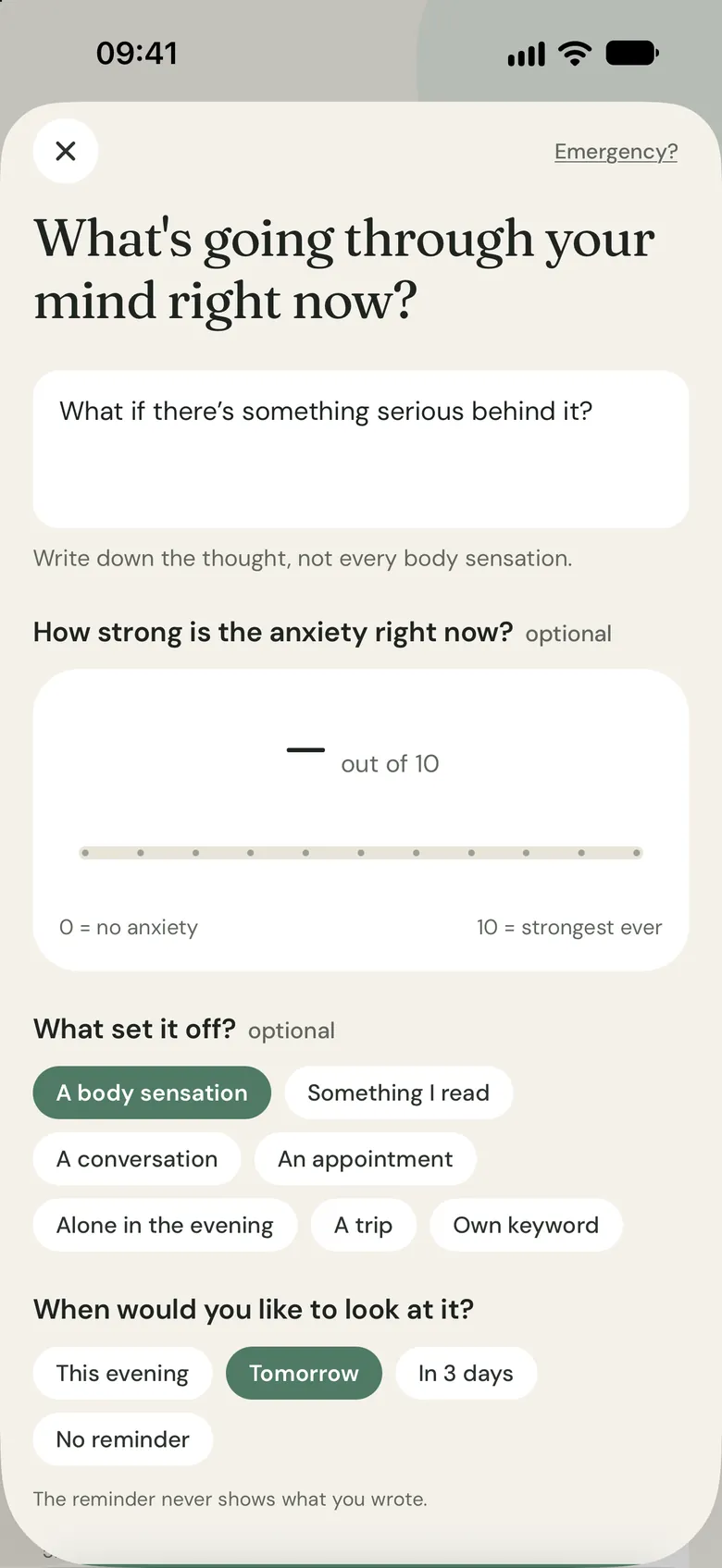
- What's going through your mind right now? You write down the thought in one sentence. Below it there's a hint that helps you not slip into monitoring: "Write down the thought, not every body sensation."
- How strong is the anxiety right now? Optional, on a scale from 0 to 10.
- What set it off? Optionally a keyword, for example "A body sensation", "Something I read", "A conversation", "An appointment", "Alone in the evening", "A trip" or a word of your own.
- When would you like to look at it? This evening, Tomorrow, In 3 days or No reminder.
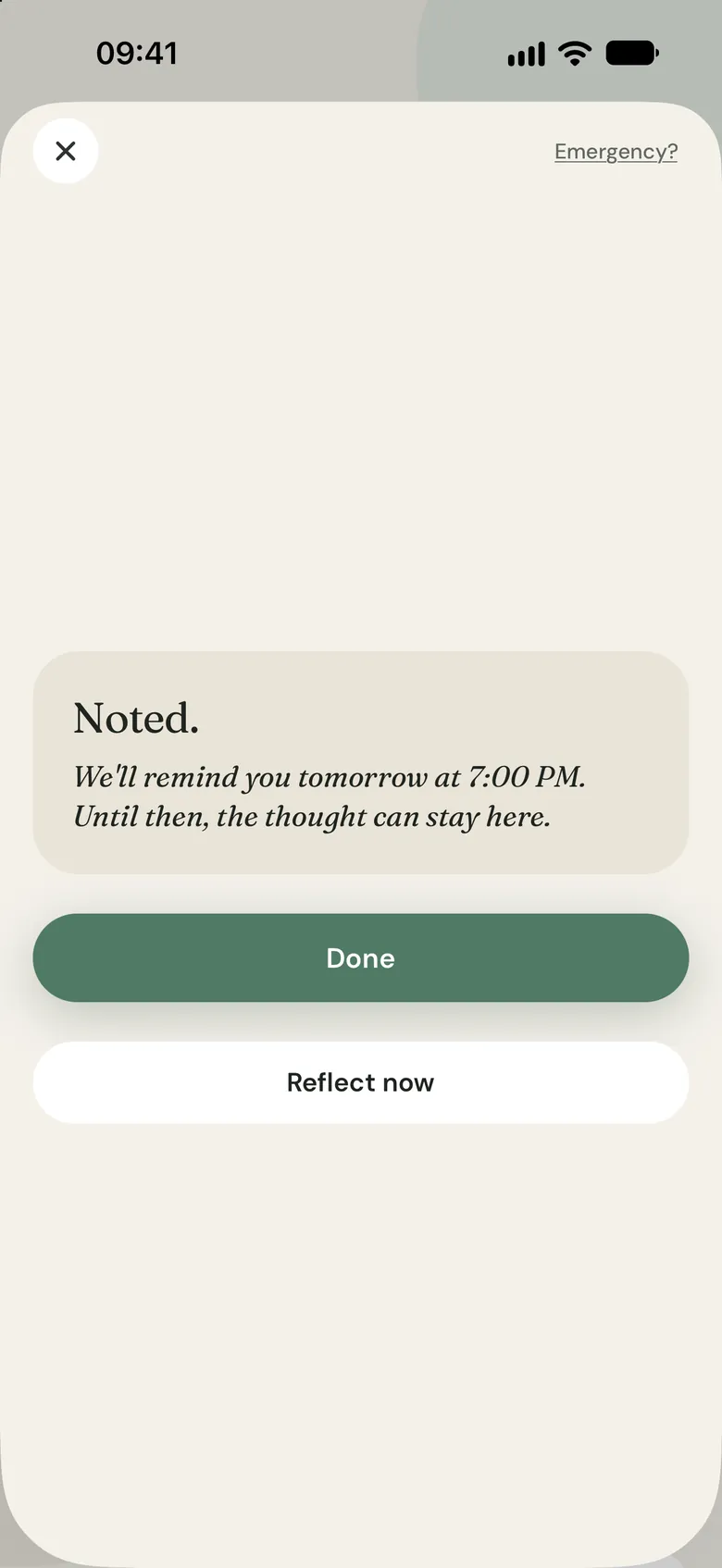
With "Note it", the thought is saved. Pausewave confirms it briefly, for example: "Noted. We'll remind you tomorrow at 7:00 PM. Until then, the thought can stay here."
Noting a thought in the middle of Wait It Out
Noting is especially useful while Wait It Out is running. The urge is there, the thought is circling, and the time left seems to drag. Instead of googling after all, you tap "Note a thought instead of checking". The app tells you: "Your Wait It Out keeps running." Afterwards, "Back to Wait It Out" takes you right back to where you were.
That way the thought has a place, and you don't have to hold on to it in your head until the time is up.
The follow-up: later, not now
If you chose a time, Pausewave then lets you know with a notification like "A thought is waiting". The reminder never shows what you wrote. Anyone who glances at your phone won't see what it's about.
In the Journal tab, thoughts that are due appear at the top under "Ready now", so nothing gets lost. From there you can reflect on the thought, which means looking at it in four short steps. The article about reflecting on thoughts explains how this works. You can also tap "Reflect now" right after noting it, if you feel like it.
If you choose "No reminder", the thought simply stays in the Journal until you look at it. That's okay too.
The Journal: everything in one place
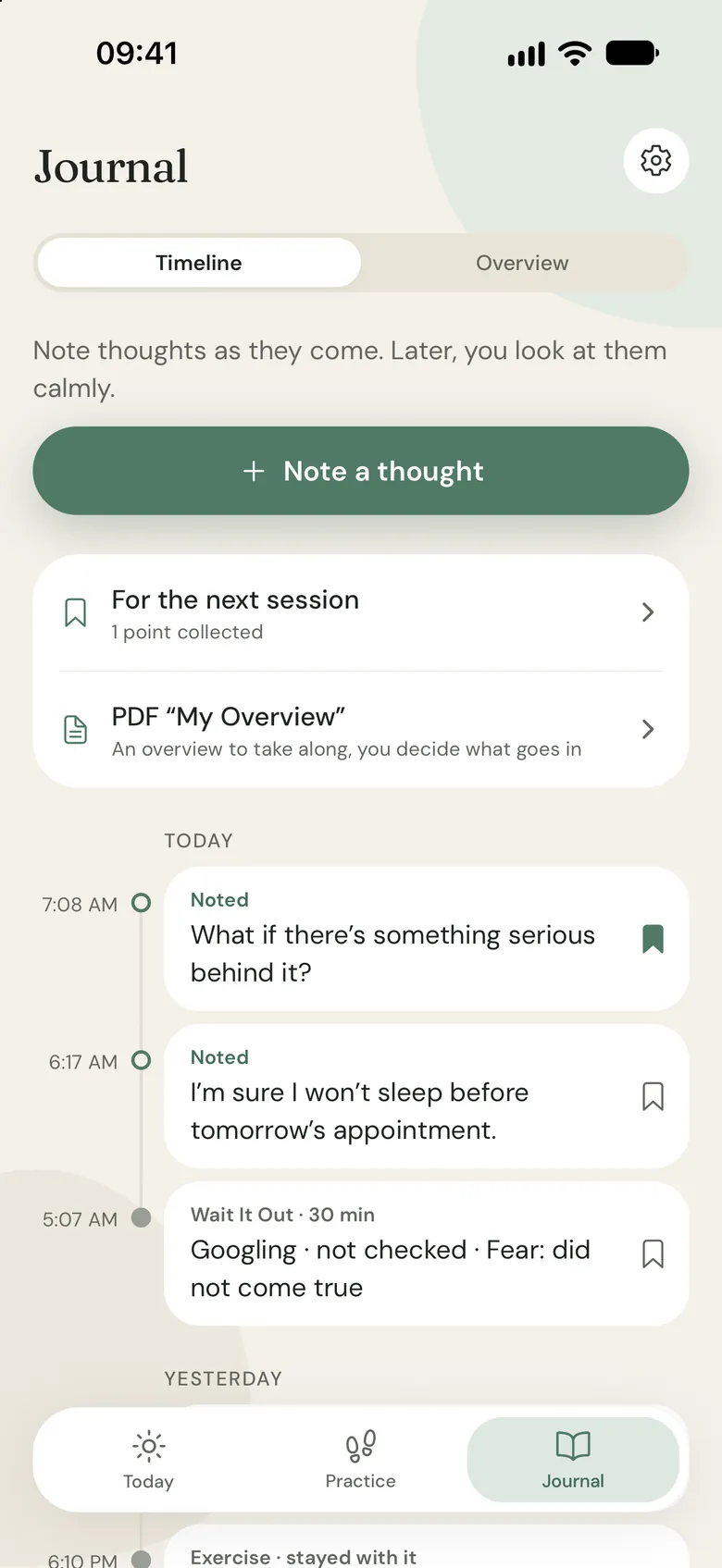
In the Journal tab, in the Timeline segment, you see everything you record in Pausewave, in the order it was on your mind: noted thoughts, Wait It Out, Acute Help, exercises and fears you're currently testing.
Every entry has a bookmark. With it, you save the entry "For the next session", for example for a conversation in therapy, counseling or with your doctor. In this list you can add what you'd like to bring up, and later note what you take away from the conversation. The list stays on your device and doesn't replace a conversation. It just helps you prepare for it.
To delete a thought, press and hold it. A linked fear stays.
Free and with Pro
Noting thoughts is free in Pausewave, with no limit. Without Pro, the Journal shows the last 7 days and everything that is waiting for you right now. Older entries stay saved and are visible with Pro. You can use the guided reflection three times without Pro, after that it continues with Pro.
What noting thoughts is not
The Journal isn't a symptom diary. Pausewave doesn't ask about complaints, doesn't record body values and doesn't judge anything. It's about thoughts and how you deal with them, not about collecting evidence.
If something about your body changes in a new or lasting way, that belongs in a doctor's office. A noted thought doesn't replace an examination.
Frequently asked questions
Do I have to write down every thought?
No. One sentence about the thought that's loudest right now is enough. The hint in the app helps: Write down the thought, not every body sensation.
What does the reminder say?
Only that a thought is waiting. The reminder never shows what you wrote.
Can I note a thought without looking at it later?
Yes. Choose "No reminder". The thought stays in the Journal, and you decide whether and when to look at it.
Who can read my thoughts?
No one but you. Everything stays on your device, and free text is never sent to us. More on this in the article about privacy in Pausewave.
Sources
- Kircanski, Lieberman & Craske (2012): Feelings into words. Contributions of language to exposure therapy. Psychological Science
- Masuda et al. (2004): Cognitive defusion and self-relevant negative thoughts. Behaviour Research and Therapy
- Salkovskis & Warwick (1986): Morbid preoccupations, health anxiety and reassurance. Behaviour Research and Therapy
Pausewave is a self-help app and not a medical device. It doesn’t diagnose anything and doesn’t replace a medical checkup. New or persistent symptoms belong with a doctor.


