
No account, data on your device: privacy, backup and reminders
What happens to your entries in Pausewave, a health anxiety app: no account, data on your device, backup and export, calm reminders, an analytics switch.
Worries about your own health are something very personal. Many people won't even write them in a notebook because someone might find it. An app where you note when the urge to google grabs you and which thoughts keep you up at night has to handle that with care.
That's why Pausewave was built from the start so that your entries stay with you. This article explains what that means in practice, which settings you have and what the app sends, honestly and without fine print.
No account, no server for your entries
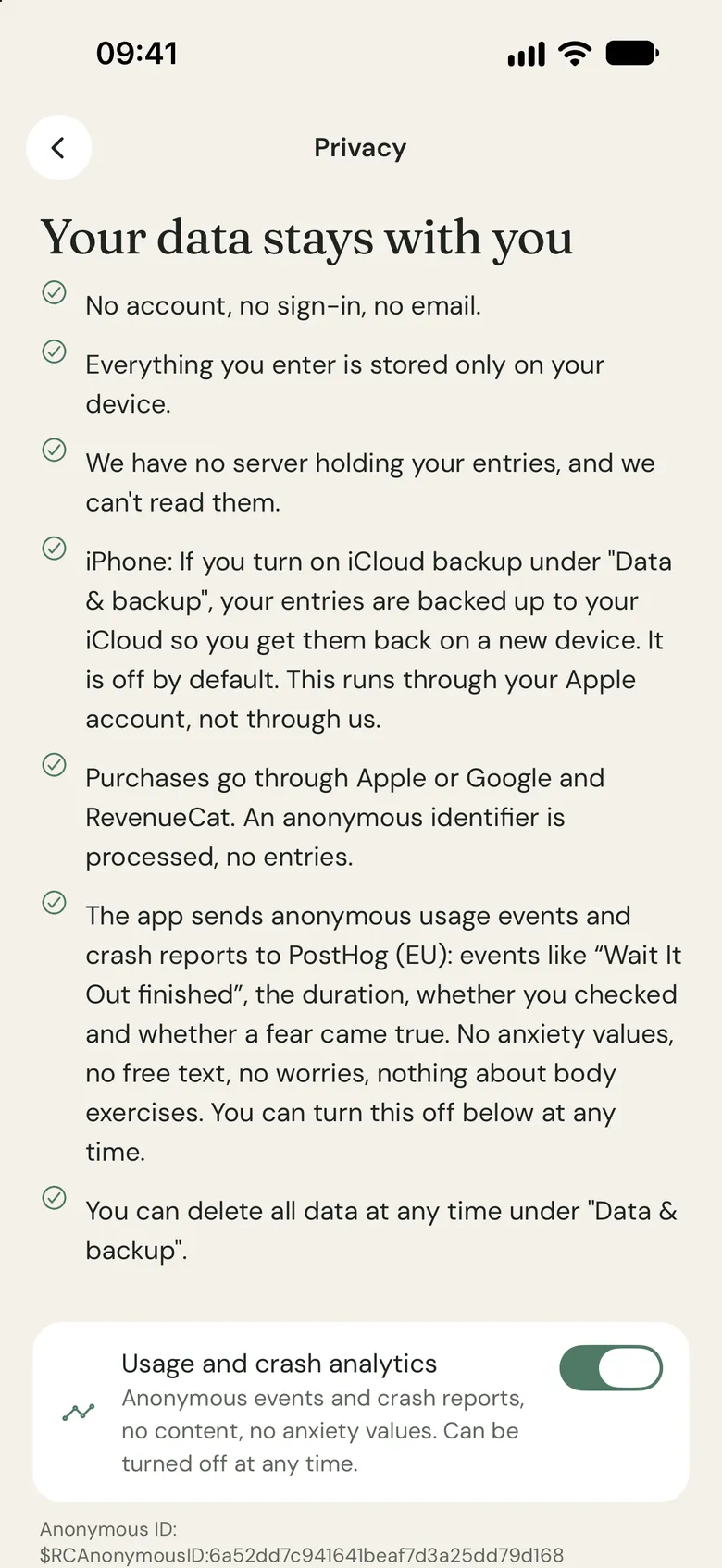
In the settings under Privacy, it's laid out in short points:
- No account, no sign-in, no email.
- Everything you enter is stored only on your device.
- We have no server holding your entries, and we can't read them.
- Purchases go through Apple or Google and RevenueCat. An anonymous identifier is processed, no entries.
This covers everything you record in Pausewave: Wait It Outs, anxiety ratings, thoughts, reflections, worries, your Exercise Ladder and your answers from the lessons.

Backup and export
Because there's no account, you back up your data yourself. Under Settings → Data & backup you have several ways to do that.
On iPhone, there's iCloud backup. It saves your entries in your iCloud account, not with us. It's off by default, and you turn it on yourself. With "Restore from iCloud" you bring your backup onto a new device.
On Android, depending on your device and settings, Android backup may save your entries in your Google account. But you can't rely on that, and the app says so too. Export your data as a file before switching devices.
On both systems, you can save all entries as a JSON file with "Export data" and bring them back with "Import data", either adding to or replacing what's there. With "Delete all data" you remove all entries, settings and reminders from your device, and on iPhone your iCloud backup as well. This can't be undone.
Your selection for the App pause during an urge is tied to the device and isn't part of the backup.
Reminders that give nothing away
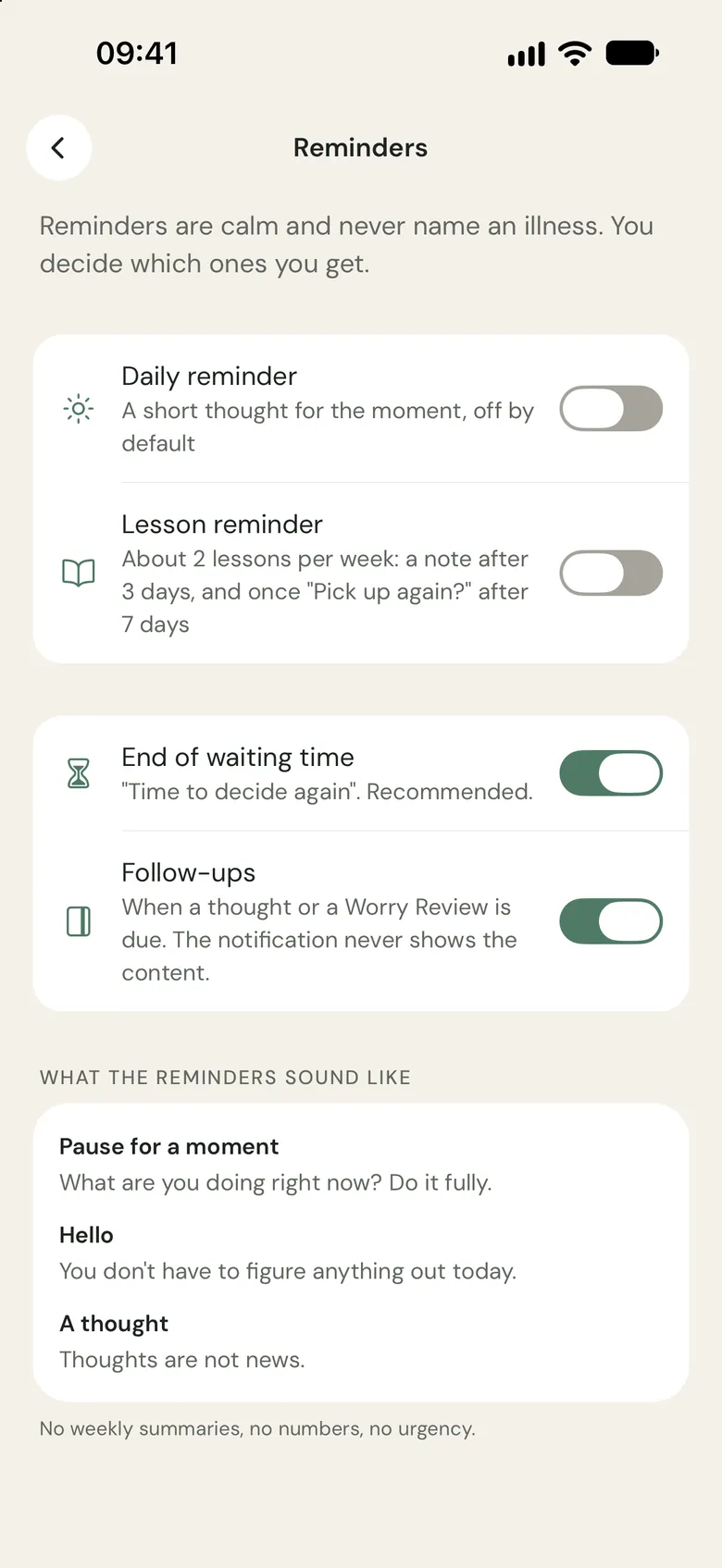
Under Settings → Reminders you decide which notifications you get. The reminders are calm and never name an illness.
- Daily reminder: a short thought for the moment, such as "Thoughts are not news." Off by default.
- Lesson reminder: a note about the next lesson. Off by default.
- End of waiting time: "Time to decide again". Recommended and on by default.
- Follow-ups: when a thought or a Worry Review is due. The notification never shows the content.
The app also says: No weekly summaries, no numbers, no urgency.
Lock screen and widget
While you're waiting it out, the iPhone shows a Live Activity, and Android an ongoing notification. It only says "You're waiting it out" and the remaining time, never your urge or an anxiety number. Under Settings → Wait It Out you can hide the remaining time or turn the display off completely. You still get the notification at the end of the waiting time.
On iPhone there's also a widget for the Home Screen and Lock Screen with the "Hold the urge" button. It opens Wait It Out directly. With Pro you can turn on a weekly count in the widget, and it's off by default.

What the app sends: analytics with a switch
Pausewave sends anonymous usage events and crash reports to PostHog in the EU. This is on by default. What gets sent are events like "Wait It Out finished", the duration, whether you checked and whether a fear came true. What does not get sent: anxiety values, free text, worries and anything about the body exercises. For the app pause, the app only counts that it ran, never which apps.
You can turn analytics off at any time under Settings → Privacy with the "Usage and crash analytics" switch. Once you turn it off, it stays off. All the details are in the privacy policy.
Free and with Pro
Privacy doesn't depend on Pro. Backup, export, import, deleting, reminders, the Live Activity and the widget button are there for everyone. Only the weekly count in the widget is part of Pro.
Limits
What's on your device is as safe as your device. A passcode on your phone also protects your entries in Pausewave. And when you create the PDF "My Overview", you decide who you share it with. What you then pass on is no longer only in your hands.
Frequently asked questions
Do I need an account?
No. Pausewave works without an account, without signing in and without an email address.
What happens to my data when I switch phones?
On iPhone, you get it back with iCloud backup if you turned it on. On Android, you export it as a file beforehand and import it on the new device.
Does Pausewave read my thoughts or worries?
No. Free text and anxiety values never leave your device. The analytics only know anonymous events without any content.
Can I turn off analytics?
Yes, under Settings → Privacy. It then stays off.
Sources
Pausewave is a self-help app and not a medical device. It doesn’t diagnose anything and doesn’t replace a medical checkup. New or persistent symptoms belong with a doctor.


